Tutorials
From the first guest to the printed plan, with pictures of the real app.
See it all in 20 seconds
Creating the plan, typing the guests, seating them at the tables and reading the counts.
Create your plan in 1 minute
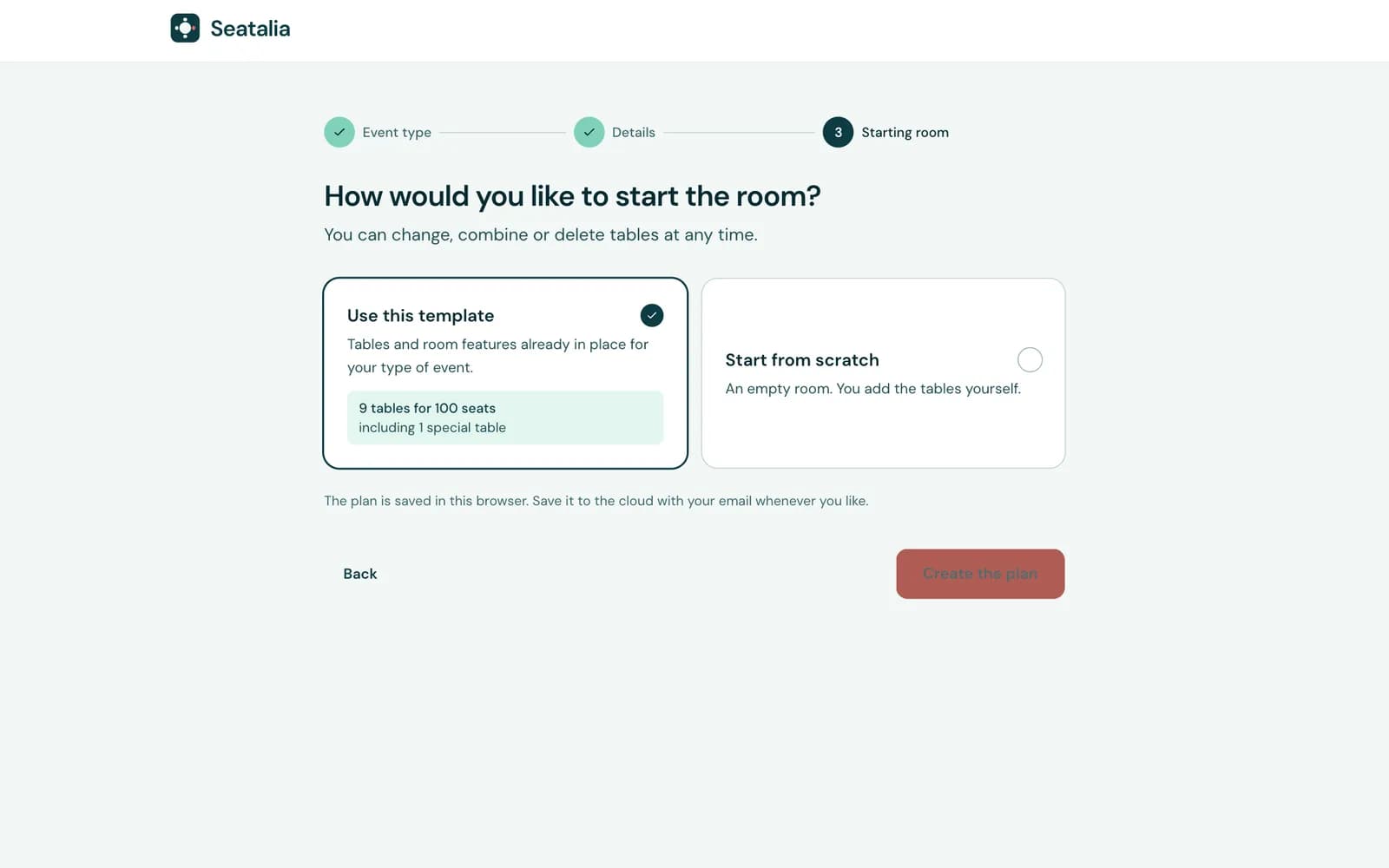
Pick the kind of event, give it a name and start typing the guests. You do not need an account.
Step 1
Pick the event and name it
Wedding, christening, company dinner… Seatalia suggests the tables for the approximate number of guests you give it.
Step 2
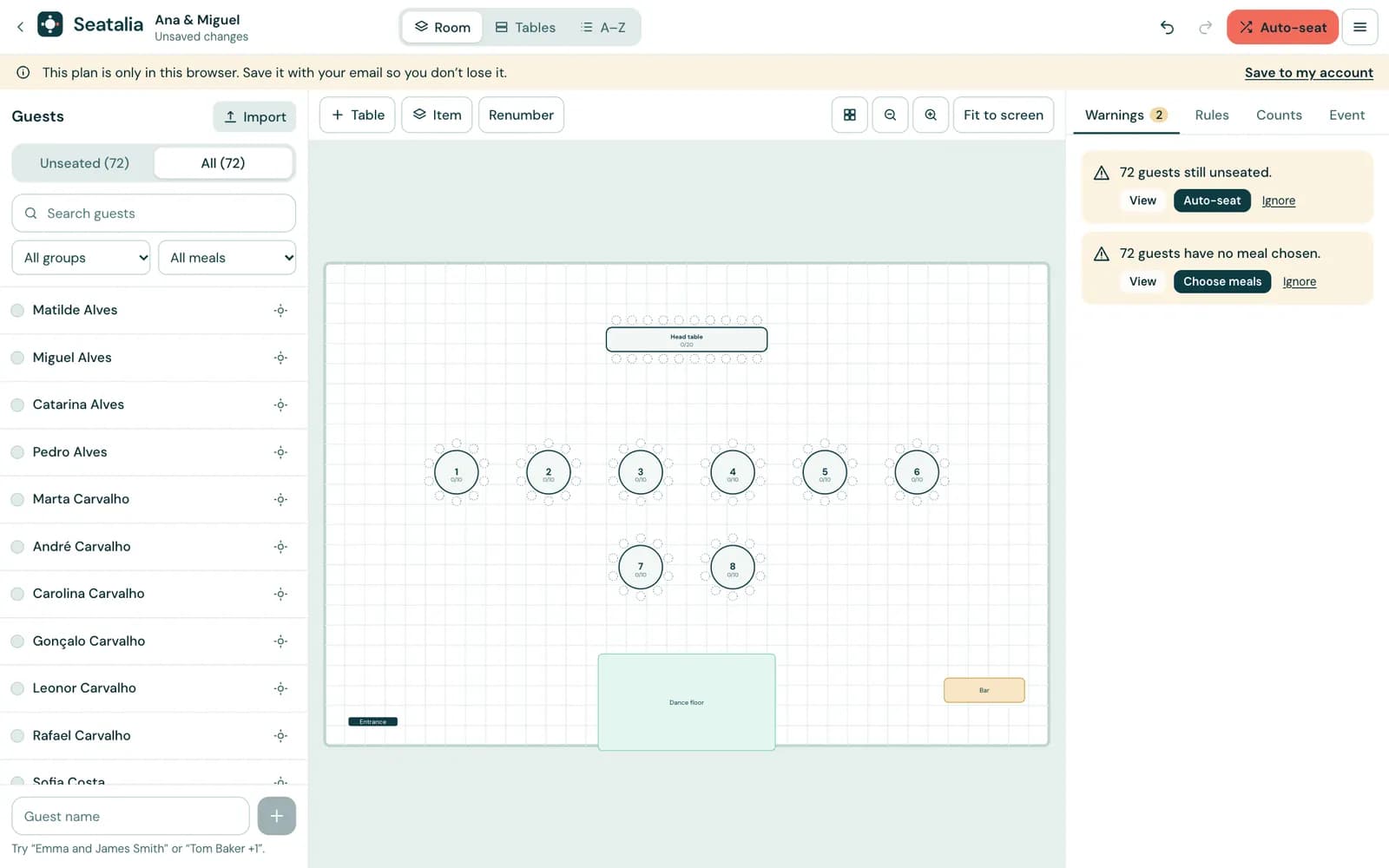
Type or import the guests
Type “Ana and João Silva” or “Rui Costa +1” in the box and press Enter. You can also import a list from a spreadsheet.
Seat everybody with one click
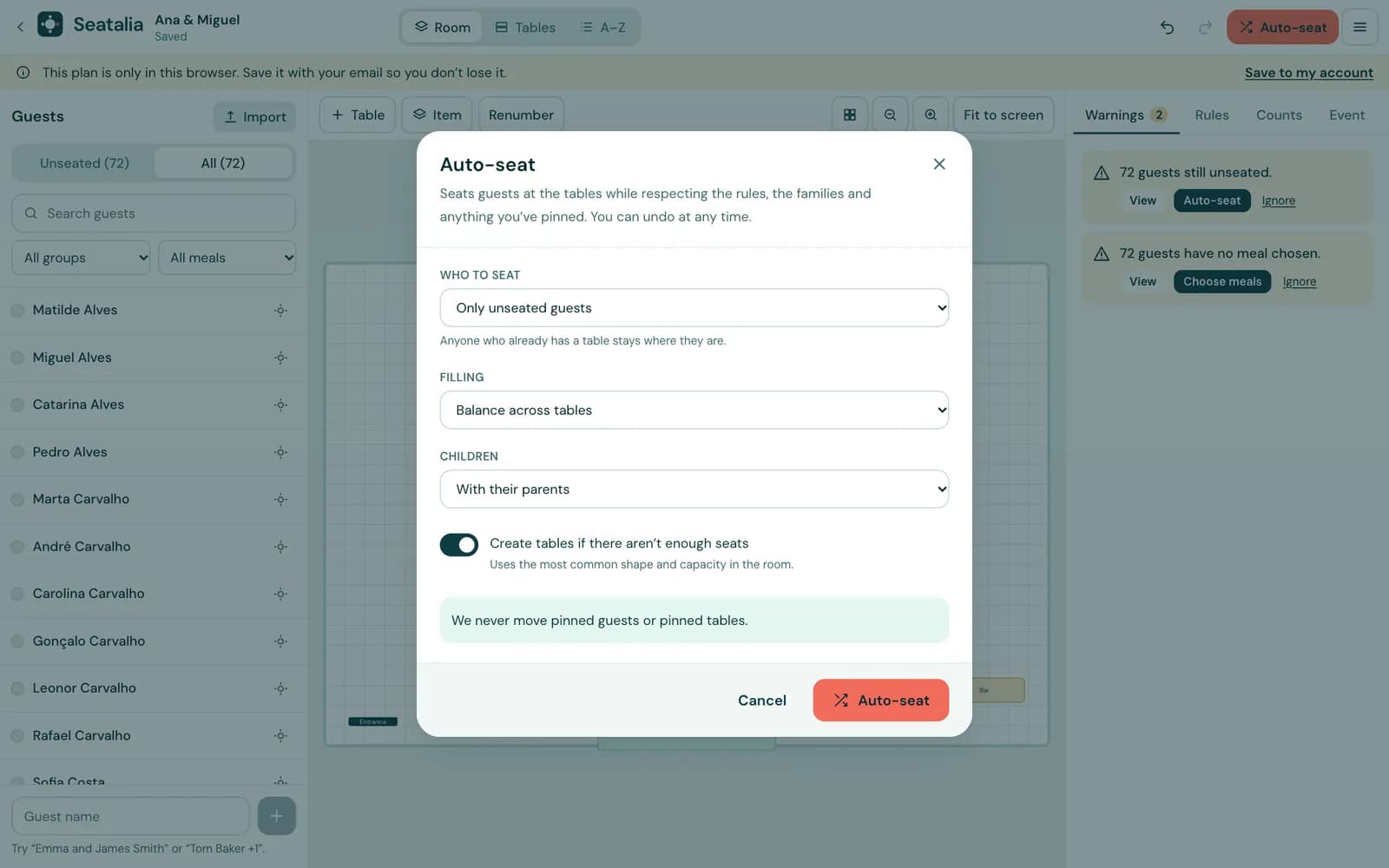
The assistant seats the guests at the tables, respecting families, rules and whatever you have already pinned.
Step 1
Open “Seat guests” and choose the options
Say whether to seat only those without a table or everyone, how to balance the tables and where the children go.
Step 2
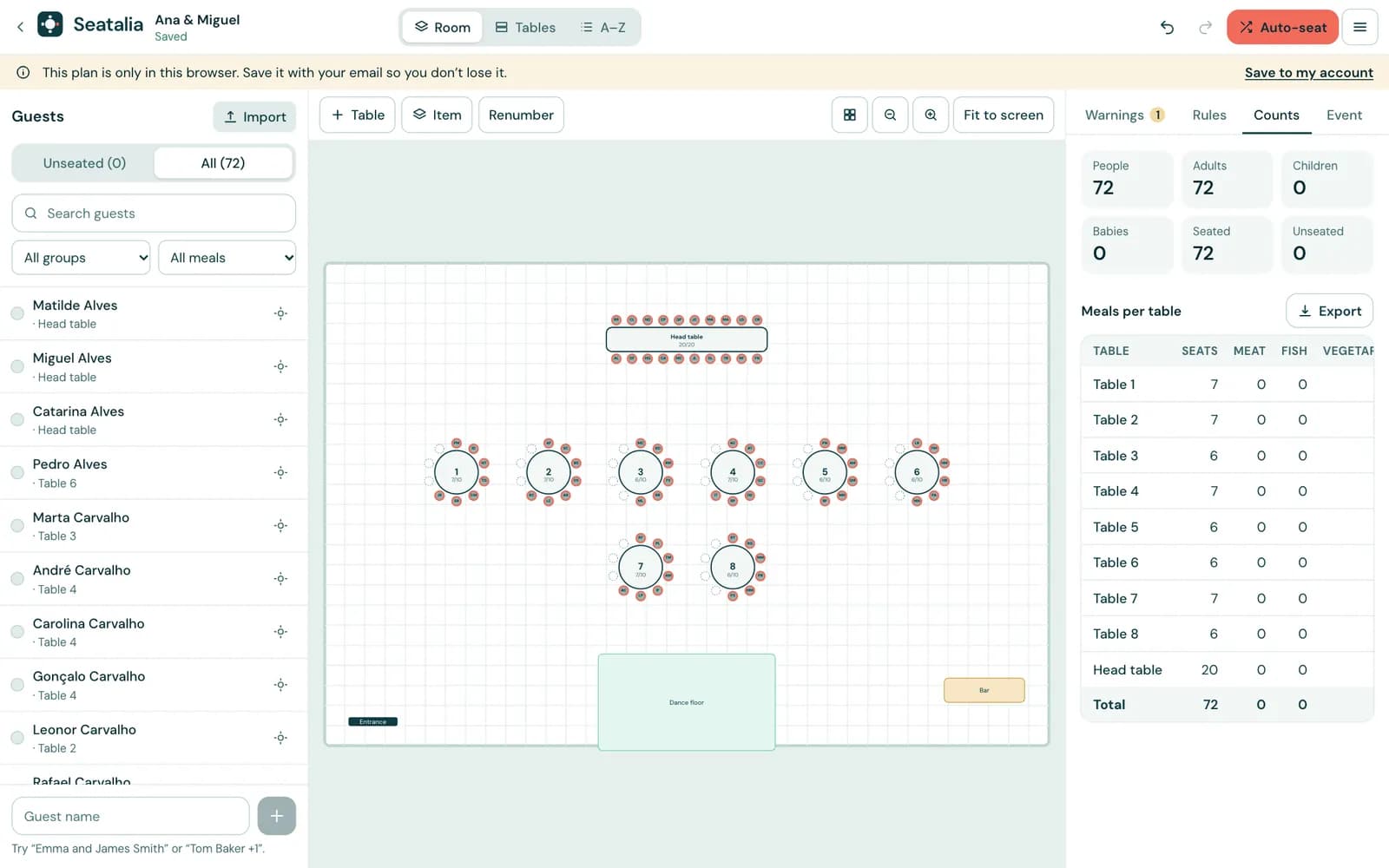
Check the result and accept
You see how many were seated and whether a preference was left unmet. Accept it or try again, and undo whenever you like.
Adjust table by table
No plan is perfect the first time. Change what you want: the rest stays as it is.
Step 1
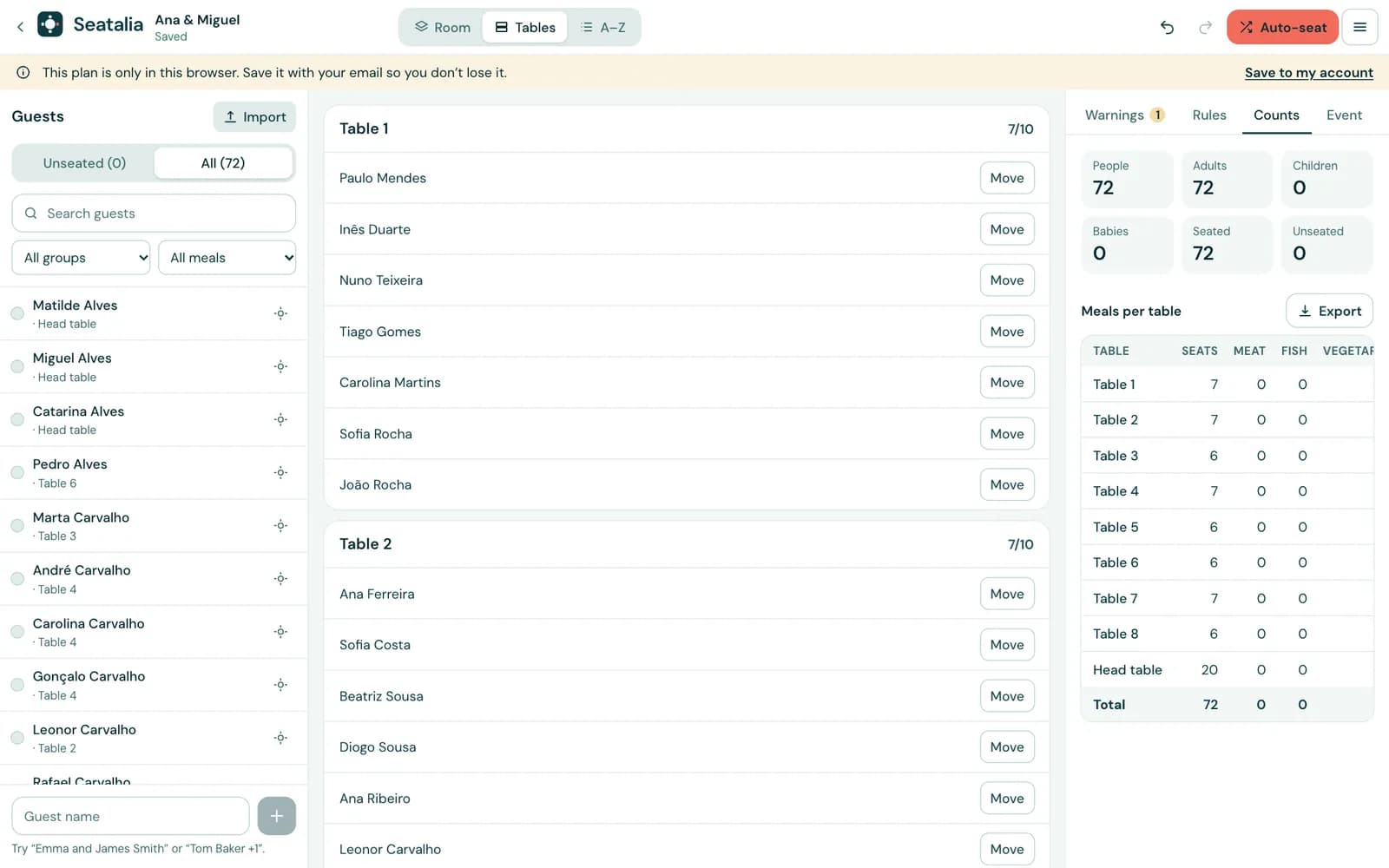
Switch to the “Tables” view
A list of every table with who is on it and a “Move” button next to each person.
Step 2
Or drag in the room
In the “Room” view you see the floor plan and the seats; the counts per table and per dish appear beside it.
Print and share
Take the plan into the real world: paper for the venue, a QR code for the guests and numbers for the kitchen.
Step 1
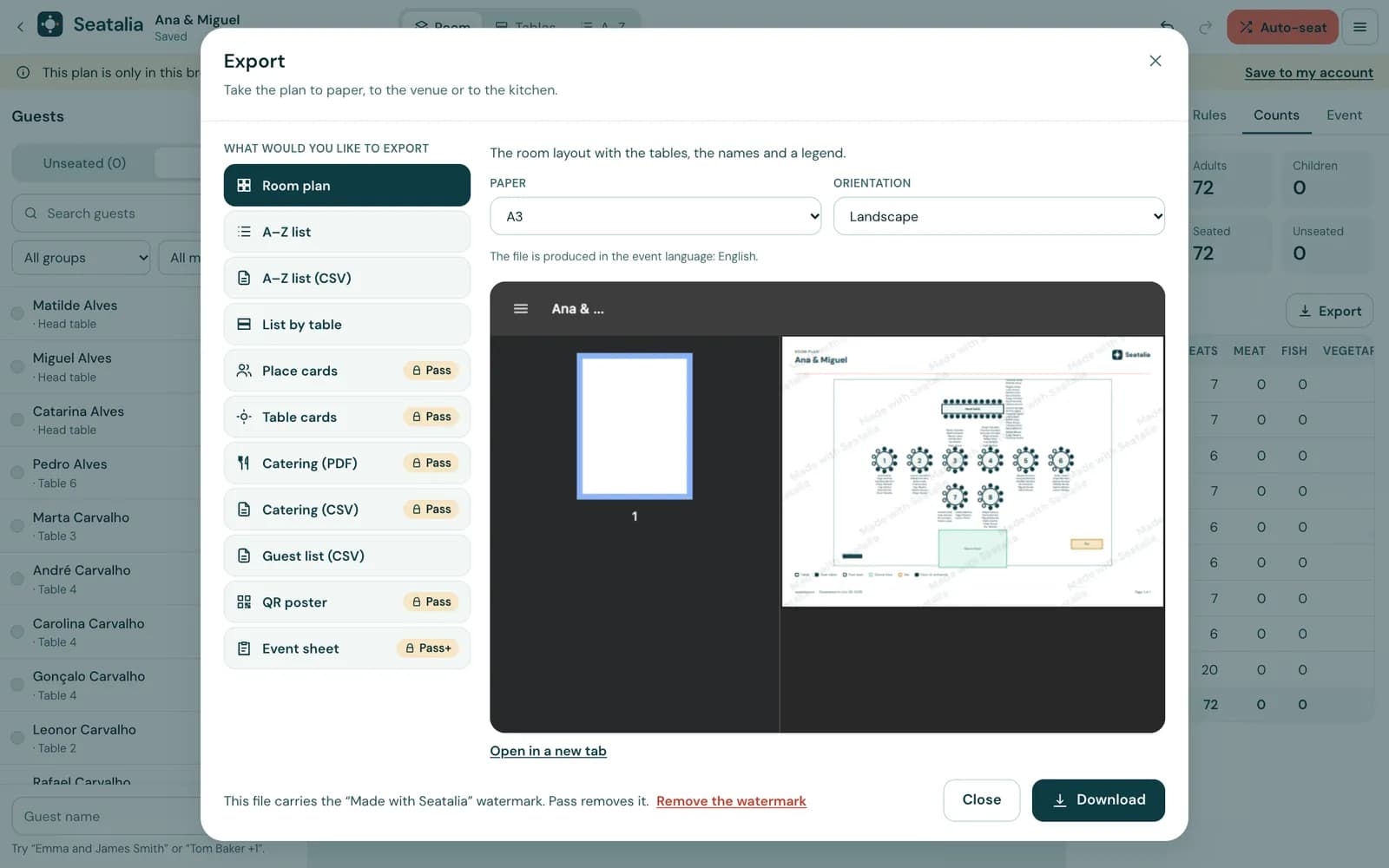
Export and print
Choose the floor plan, the lists, the cards or the counts for the caterer, and the paper size. Without a Pass, PDFs carry a watermark.
Step 2
Let guests find their seat
With a Pass you switch on the “Find your seat” QR code: at the door, each guest types their name on their phone and sees their table.

Illustration Step 3
Keep the kitchen in the loop
With a Pass, the kitchen link shows dish and diet counts per table, always up to date.

Illustration
Ready to try it?
Create your first plan for free, no account needed. You only pay when you take it into the real world.
Create my plan